Text and code Free
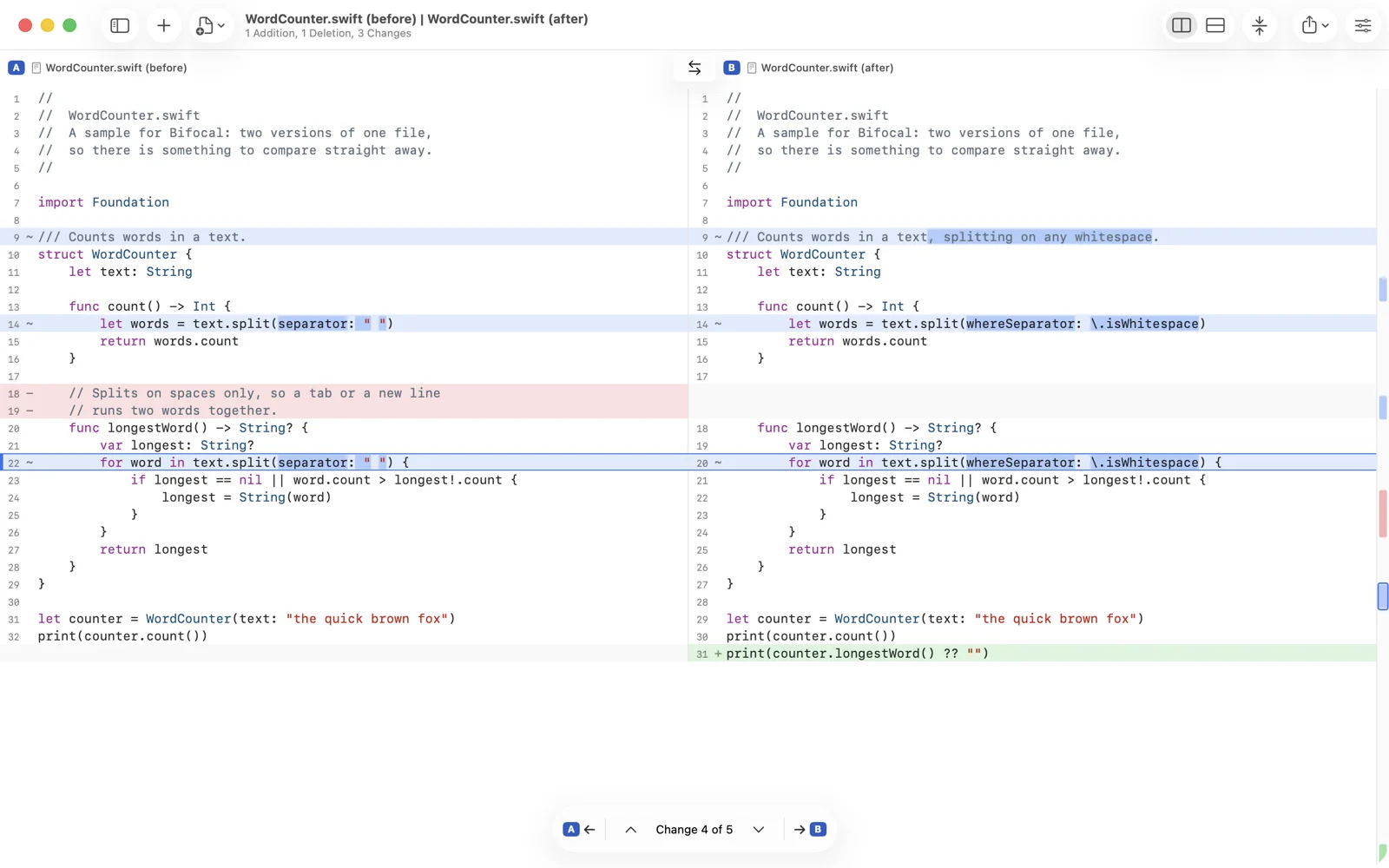
Side by side or in one column, changed words picked out inside each line. Syntax colouring for 20 languages, ignore rules, folding, patches, and copy a change across with undo.
Bifocal compares two versions of anything, side by side with every difference marked: code, Word and PowerPoint files, spreadsheets, folders, images, 3D models and Git. Then it helps you merge.
Coming to the App Store. Free to download, and comparing text and files is free, always.
Drop two of anything on the window. Bifocal recognises the pair and opens the view that suits it.
Side by side or in one column, changed words picked out inside each line. Syntax colouring for 20 languages, ignore rules, folding, patches, and copy a change across with undo.
Three panes: A, the result and B, with every conflict counted and resolved where it sits. Works as git mergetool on the Mac.
What differs, what is only on one side, and a checked list of what a copy will change. ZIP, tar, IPA, APK, JAR and EPUB open as folders.
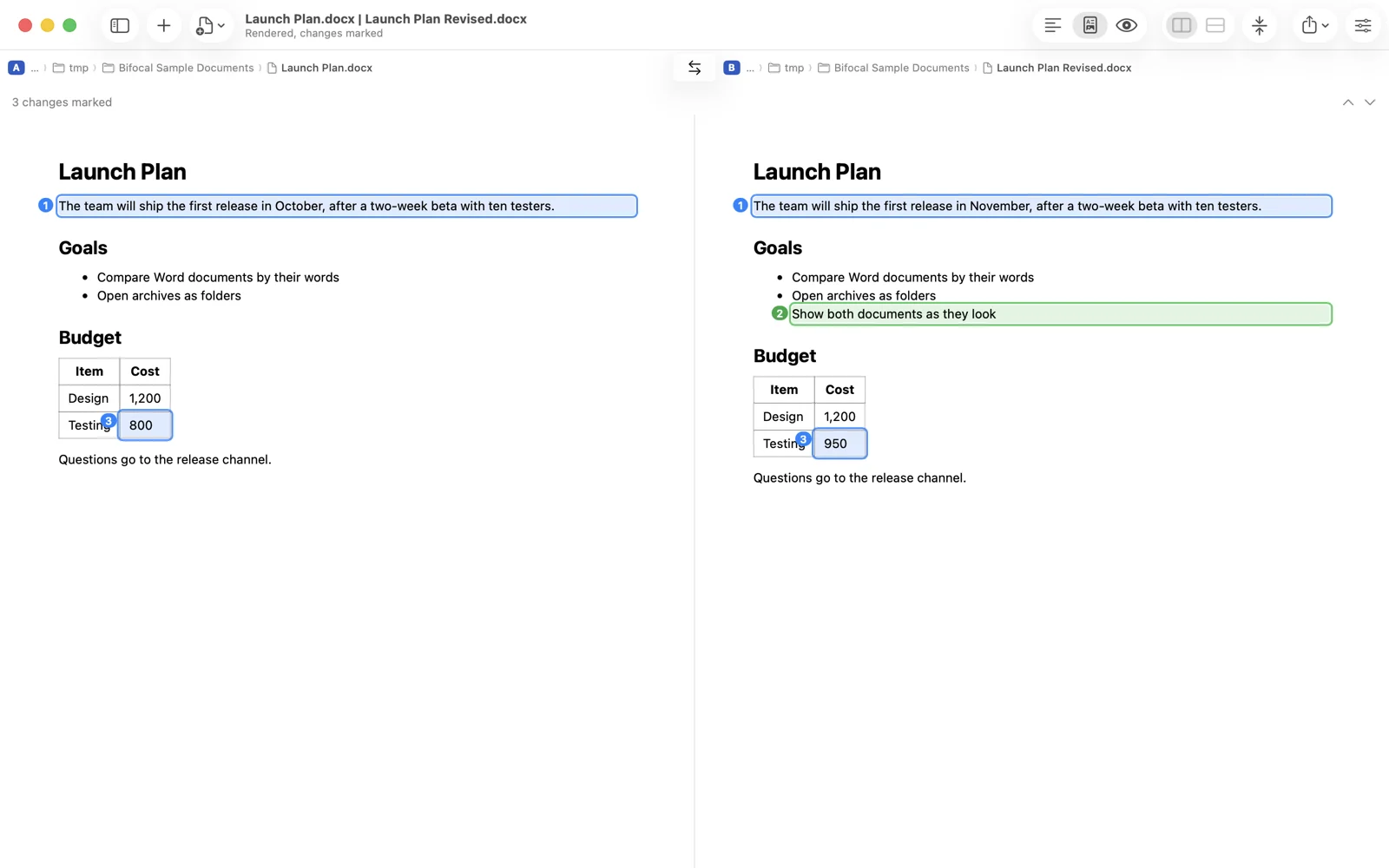
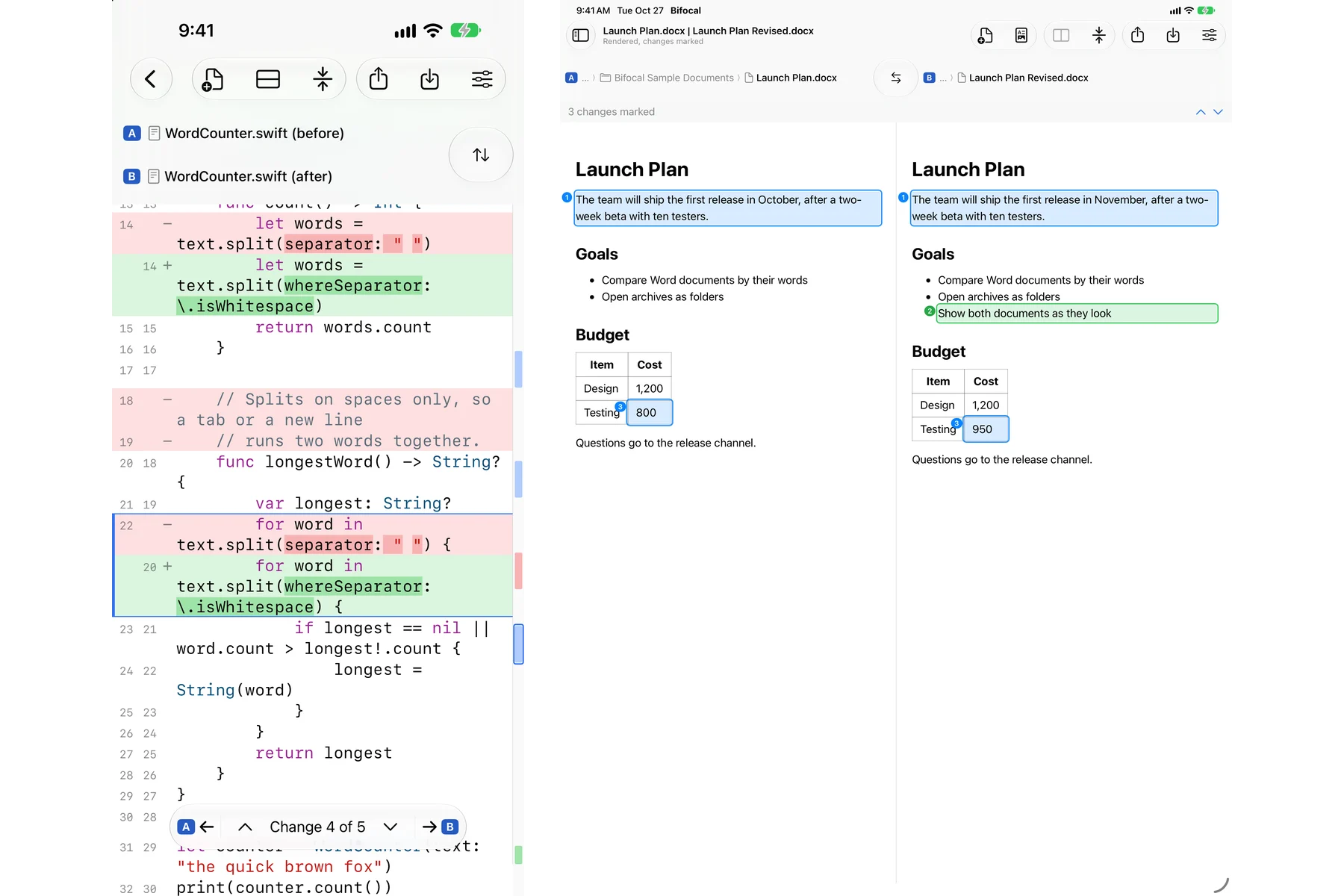
Word, PowerPoint, PDF, RTF and OpenDocument compared by their words, with tracked changes honoured. Rendered view shows both as they look, changes marked.
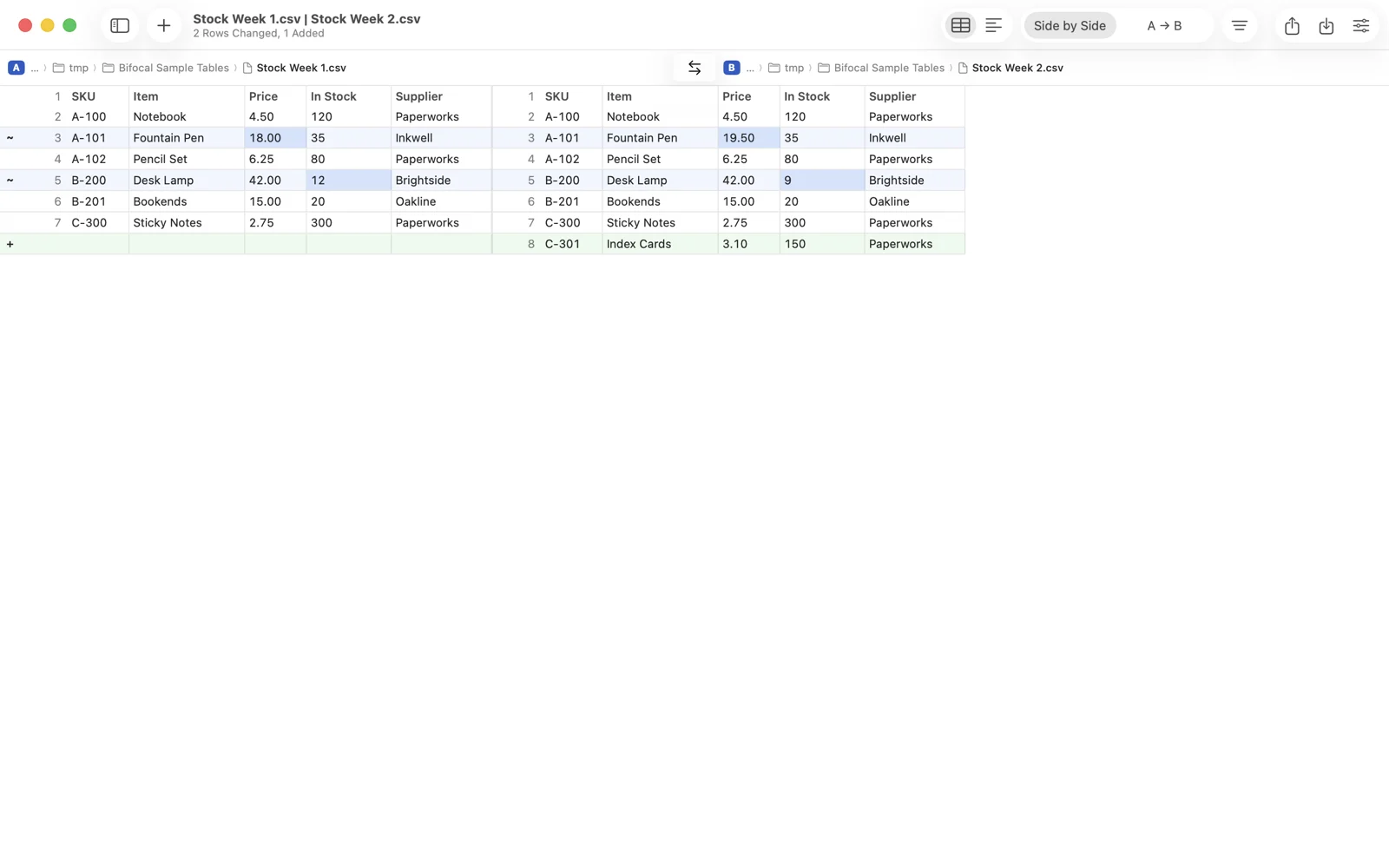
Excel, OpenDocument, CSV and TSV cell by cell. Rows matched by key column, columns by name, numbers within a tolerance you choose.
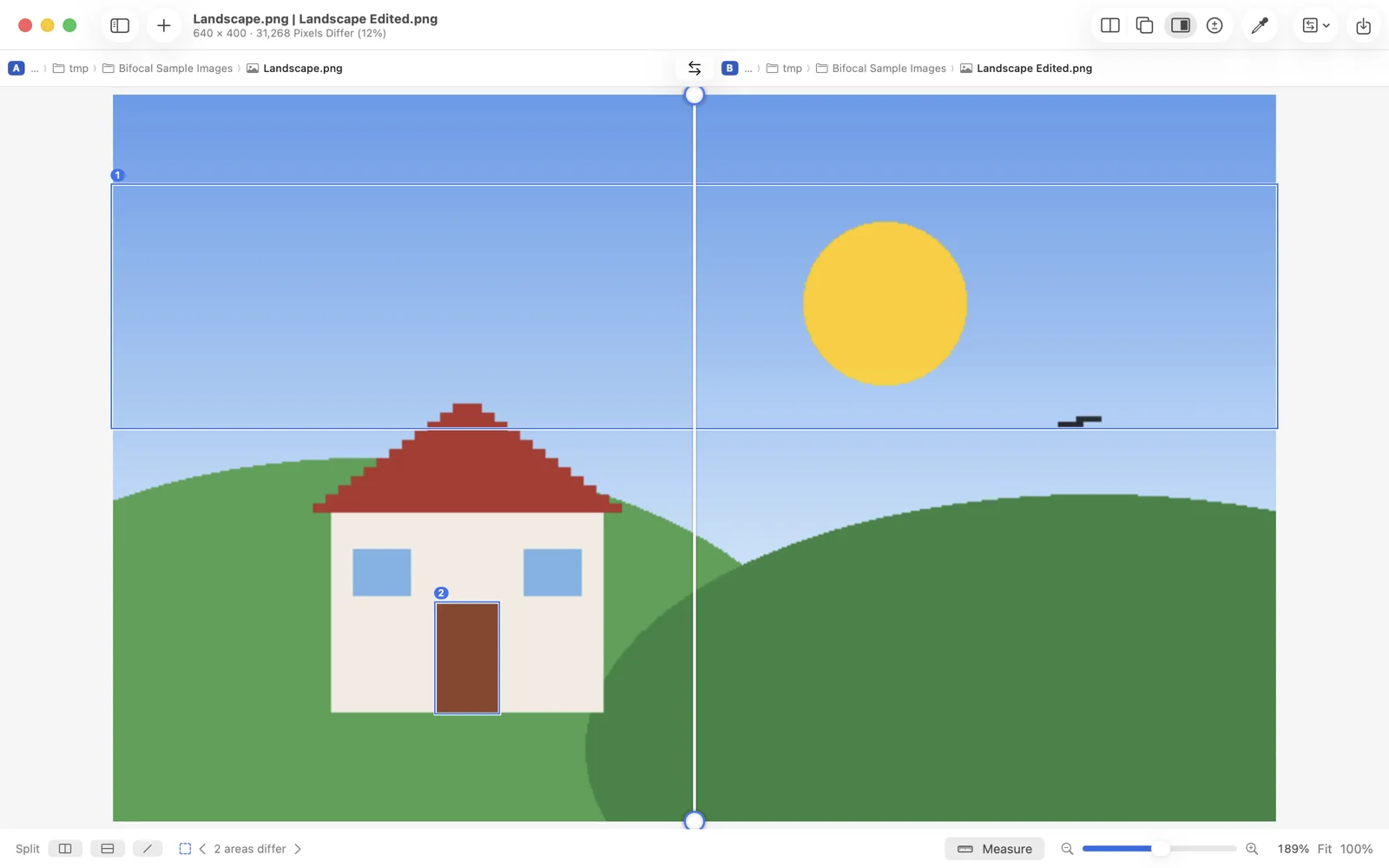
Two-up, one over the other, a split you can drag and turn, or a map of every changed pixel. Changed areas are outlined in every mode.
STL, OBJ, 3MF and PLY under one camera, overlaid, or coloured by how far apart the surfaces are. Volume, area and size for each.
Two recordings play in step. Bifocal scans where picture and sound differ; Next Change jumps to the first changed frame. Waveforms side by side.
Your uncommitted work, any two branches or commits, and a file's history. Live as you edit on the Mac, and git difftool from Terminal.
Rendered view draws both documents and numbers each changed block: a sentence, a list item, a table cell. Switch to Text to compare the words line by line, or Preview to see the files as the system shows them.
A, the result and B in three panes, with the common ancestor as the base. Each conflict offers Take A, Take B, both in either order, or the base. Save Merge writes the result once every conflict is settled.
git mergetool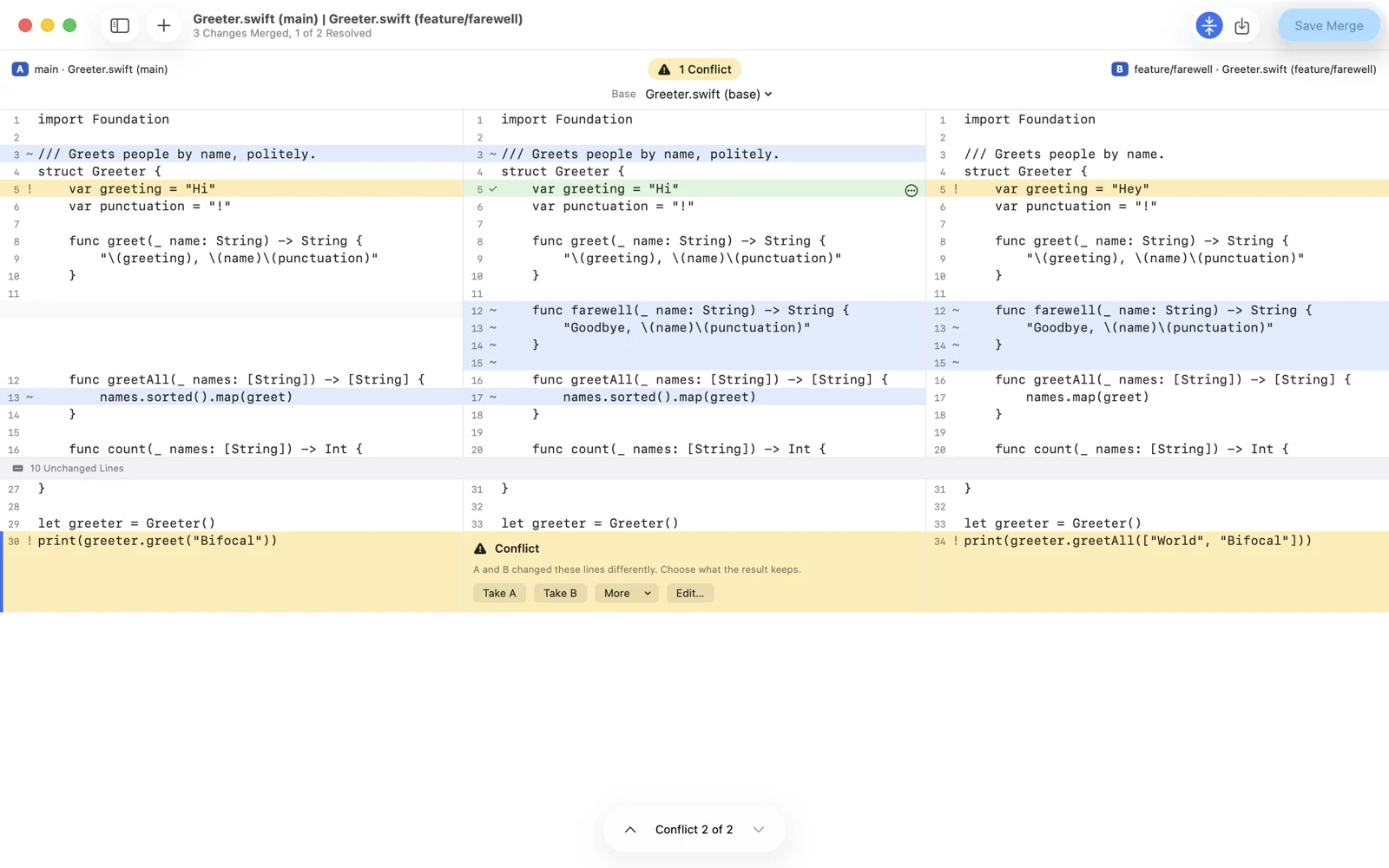
Rows are matched by a key column, so a moved row is not a deleted one plus an added one. Columns match by header, numbers compare within a tolerance, and every change is marked with a symbol as well as a colour.
Drag a split line across two versions of a picture and turn it to any angle. Or lay one over the other with a slider, or show the difference alone. A pixel inspector reads the colour on both sides.
Add a repository and see its working copy, staged changes, or any two branches, tags or commits. On the Mac the changeset updates live as you edit. Conflicted files open straight into the merge window.
git difftool and git mergetool from Terminal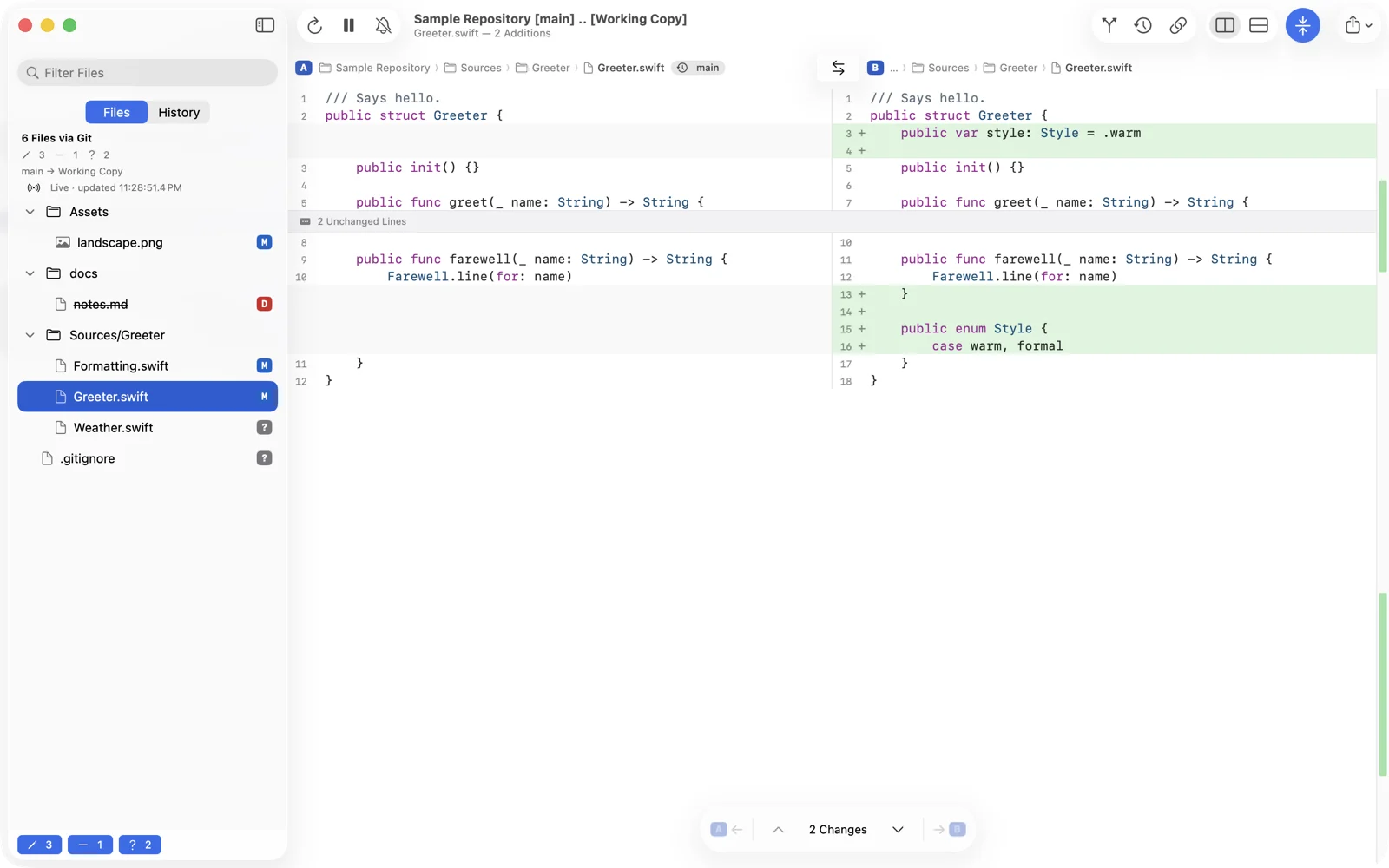
The same engine and the same views on every device. Compare two files from the Files app on your iPhone, save a session, and open it on your Mac. One purchase of Bifocal Pro covers all three.
Comparisons follow their files: edit in another app and Bifocal compares again. Drop files on the window, use the Share sheet, the Finder's Services menu, Shortcuts, Siri or a bifocal:// link.
No subscription, no account. Every Pro feature is free for 14 days, and nothing renews when the trial ends.
The text window in full, for good.
Everything, on your Mac, iPad and iPhone. 14-day free trial.
Price shown in U.S. dollars; the App Store shows yours. Universal purchase: buy once with your Apple Account and restore on every device.
No. Everything happens on your device. Bifocal has no servers, no accounts and no analytics. See the privacy policy.
Comparing text and files stays free. The Pro windows show what they offer and how to unlock them. Nothing you saved is lost, and nothing renews or charges you.
Yes. Bifocal Pro is a universal purchase. Buy it on any device, then choose Restore Purchases on the others, signed in with the same Apple Account.
Yes, on the Mac. Install the bifocal command-line tool and run the lines in Settings › Integration once. git difftool and git mergetool then open in Bifocal. The guide has the details.
macOS 26 or later on the Mac, and iOS 27 or iPadOS 27 on iPhone and iPad.
Bifocal is coming to the App Store for Mac, iPad and iPhone. Read the guide now, or ask to hear when it ships.